Enjoyed this article?
Share it with your professional network and help others discover it.
This article walks through building a fully functional web application using Oracle Backend with Firebase APIs (Fusabase). The project covers initializing the SDK, handling authentication, managing a document collection, uploading files to Oracle DBFS, and configuring security rules — all with vanilla JavaScript and a modular file structure.
The complete source code is available on GitHub: oracle-backend-for-firebase-example
This project is designed for educational purposes. Never commit real credentials to source control. Store your app_id, project_id, and auth_id in a .env file locally and include a .env.example template in your repository so other developers know what variables to configure without exposing your backend infrastructure.
Fusabase is Oracle's Backend as a Service (BaaS) that provides a Firebase-compatible API surface backed by an enterprise-grade Oracle Database. It allows developers to use familiar Firebase-like SDK patterns — initializeApp, getAuth, getDocs — while leveraging the transactional integrity, security, and scalability of Oracle underneath. For a detailed comparison between Fusabase and Firebase, see the companion article: Oracle Backend with Firebase APIs (Fusabase): The Enterprise Firebase Alternative.
The application implements the three core pillars of Fusabase:
"malek".Everything is built with vanilla JavaScript, making it framework-agnostic and easy to understand.
The repository is organized into modular files, each handling a single responsibility:
oracle-backend-for-firebase-example/
├── index.html       # User interface
├── style.css        # Application styling
├── config.js        # Fusabase initialization and configuration
├── auth.js          # Authentication logic
├── db.js            # Database operations (CRUD)
├── storage.js       # File upload operations
├── main.js          # UI event listeners and state management
├── .env.example     # Environment variables template
└── README.md # Project documentationTo connect to Fusabase, the application initializes the SDK with endpoint and schema details. The project uses Vite's import.meta.env to inject environment variables at build time, ensuring that no sensitive tokens end up in the source code.
config.js
import { initializeApp } from "fusabase/app";
import { getOracledb } from "fusabase/oracledb";
import { getStorage } from "fusabase/storage";
import { getAuth } from "fusabase/auth";

// Initialize using environment variables to keep credentials secure
const fusabaseConfig = {
  schema: import.meta.env.VITE_FUSABASE_SCHEMA || "YOUR_SCHEMA",
  app_name: import.meta.env.VITE_FUSABASE_APP_NAME || "YOUR_APP_NAME",
  app_type: "WEB",
  app_id: import.meta.env.VITE_FUSABASE_APP_ID || "YOUR_APP_ID",
  objs_type: "dbfs",
  project_id: import.meta.env.VITE_FUSABASE_PROJECT_ID || "YOUR_PROJECT_ID",
  storage_bucket: import.meta.env.VITE_FUSABASE_STORAGE_BUCKET || "YOUR_STORAGE_BUCKET",
  auth_type: "base",
  auth_id: import.meta.env.VITE_FUSABASE_AUTH_ID || "YOUR_AUTH_ID",
  ords_host: import.meta.env.VITE_FUSABASE_ORDS_HOST || "http://localhost:3000/ords/YOUR_SCHEMA/"
};

// Initialize app
export const fusabase_app = initializeApp(fusabaseConfig);

// Get service instances
export const fusabase_db = getOracledb(fusabase_app);
export const fusabase_storage = getStorage(fusabase_app);
export const fusabase_auth = getAuth(fusabase_app);
Create a .env file locally based on the provided template:
.env.example
VITE_FUSABASE_SCHEMA=YOUR_SCHEMA
VITE_FUSABASE_APP_NAME=YOUR_APP_NAME
VITE_FUSABASE_APP_ID=YOUR_APP_ID
VITE_FUSABASE_PROJECT_ID=YOUR_PROJECT_ID
VITE_FUSABASE_STORAGE_BUCKET=YOUR_STORAGE_BUCKET
VITE_FUSABASE_AUTH_ID=YOUR_AUTH_ID
VITE_FUSABASE_ORDS_HOST=http://localhost:3000/ords/YOUR_SCHEMA/Handling user sessions follows the same pattern as Firebase. The application uses email and password authentication provided by Fusabase.
auth.js
import { createUserWithEmailAndPassword, signInWithEmailAndPassword, signOut } from "fusabase/auth";

/**
 * Registers a new user with email and password.
 */
export const registerUser = async (authInstance, email, password) => {
  const userCredential = await createUserWithEmailAndPassword(authInstance, email, password);
  return userCredential.user;
};

/**
 * Logs in an existing user.
 */
export const loginUser = async (authInstance, email, password) => {
  const userCredential = await signInWithEmailAndPassword(authInstance, email, password);
  return userCredential.user;
};

/**
 * Logs out the current user.
 */
export const logoutUser = async (authInstance) => {
  await signOut(authInstance);
};
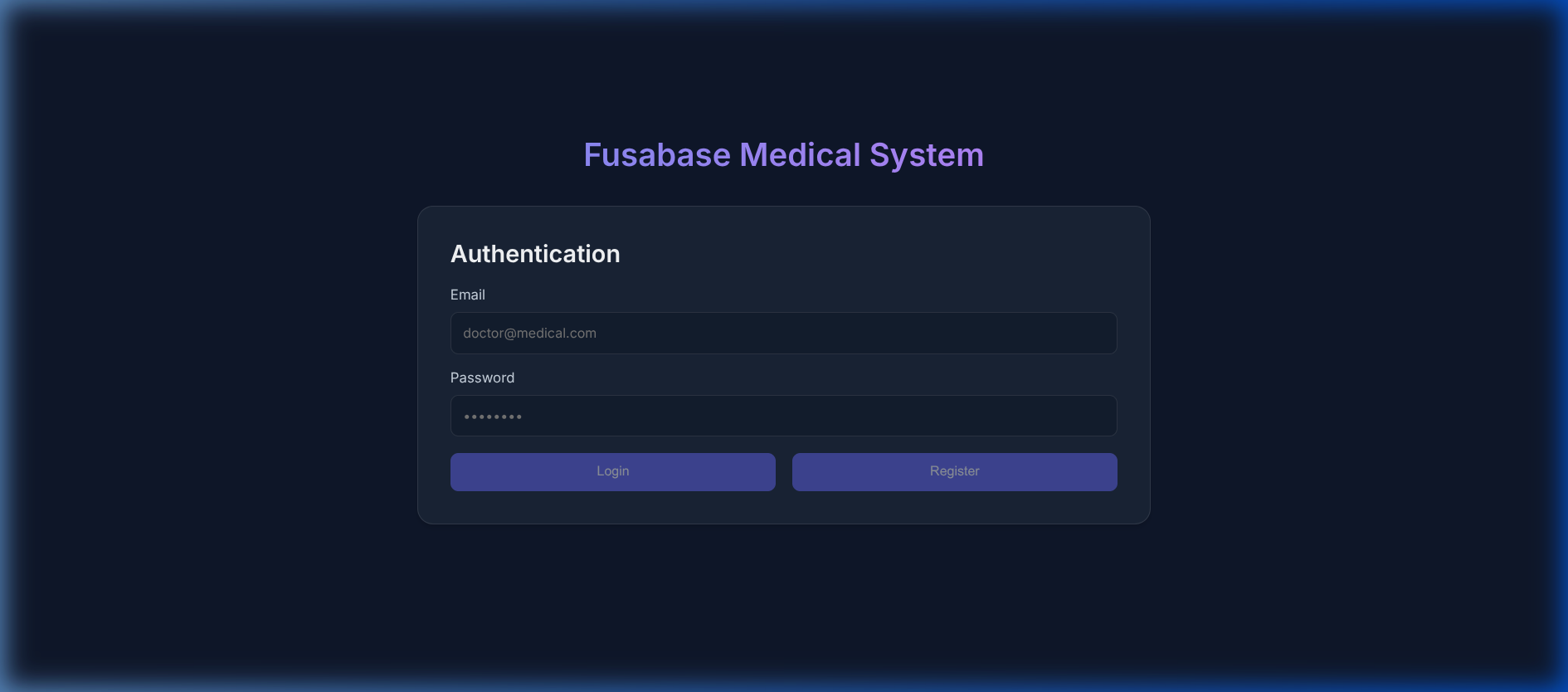
The login form provides both registration and sign-in options. On successful authentication, the UI transitions to the authenticated dashboard:
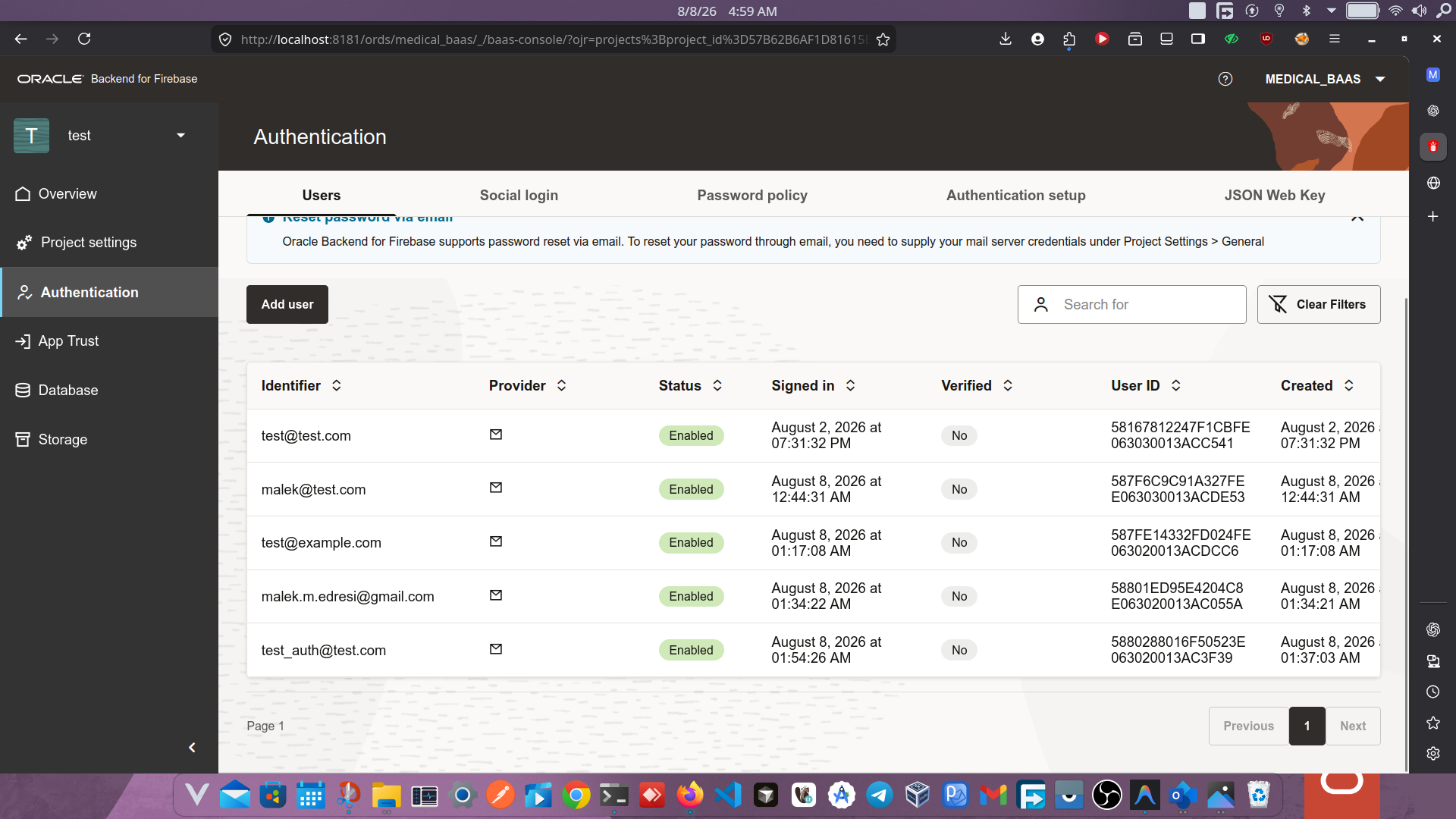
Registered users can be managed through the Fusabase Console's Authentication panel, which displays identifiers, status, sign-in timestamps, and user IDs:
The application adds, fetches, and renders notes within a document collection named "malek".
db.js
import { collection, addDoc, getDocs } from "fusabase/oracledb";

const COLLECTION_NAME = "malek";

export const addNoteToMalek = async (dbInstance, text) => {
  try {
    const docData = {
      text: text,
      created_at: new Date().toISOString()
    };

    const docRef = await addDoc(collection(dbInstance, COLLECTION_NAME), docData);
    return docRef.id;
  } catch (error) {
    throw error;
  }
};

export const fetchMalekNotes = async (dbInstance) => {
  try {
    const querySnapshot = await getDocs(collection(dbInstance, COLLECTION_NAME));
    const notes = [];

    querySnapshot.forEach((doc) => {
      notes.push({ id: doc.id, ...doc.data() });
    });

    return notes;
  } catch (error) {
    throw error;
  }
};

export const renderMalekNotes = (notes, listElementId) => {
  const ul = document.getElementById(listElementId);
  if (!ul) return;
  ul.innerHTML = "";

  if (notes.length === 0) {
    ul.innerHTML = "<li>No notes found in collection.</li>";
    return;
  }

  notes.forEach(note => {
    const li = document.createElement("li");
    const dateStr = note.created_at ? new Date(note.created_at).toLocaleString() : 'Unknown Date';
    li.textContent = `${note.text} (Created: ${dateStr})`;
    ul.appendChild(li);
  });
};
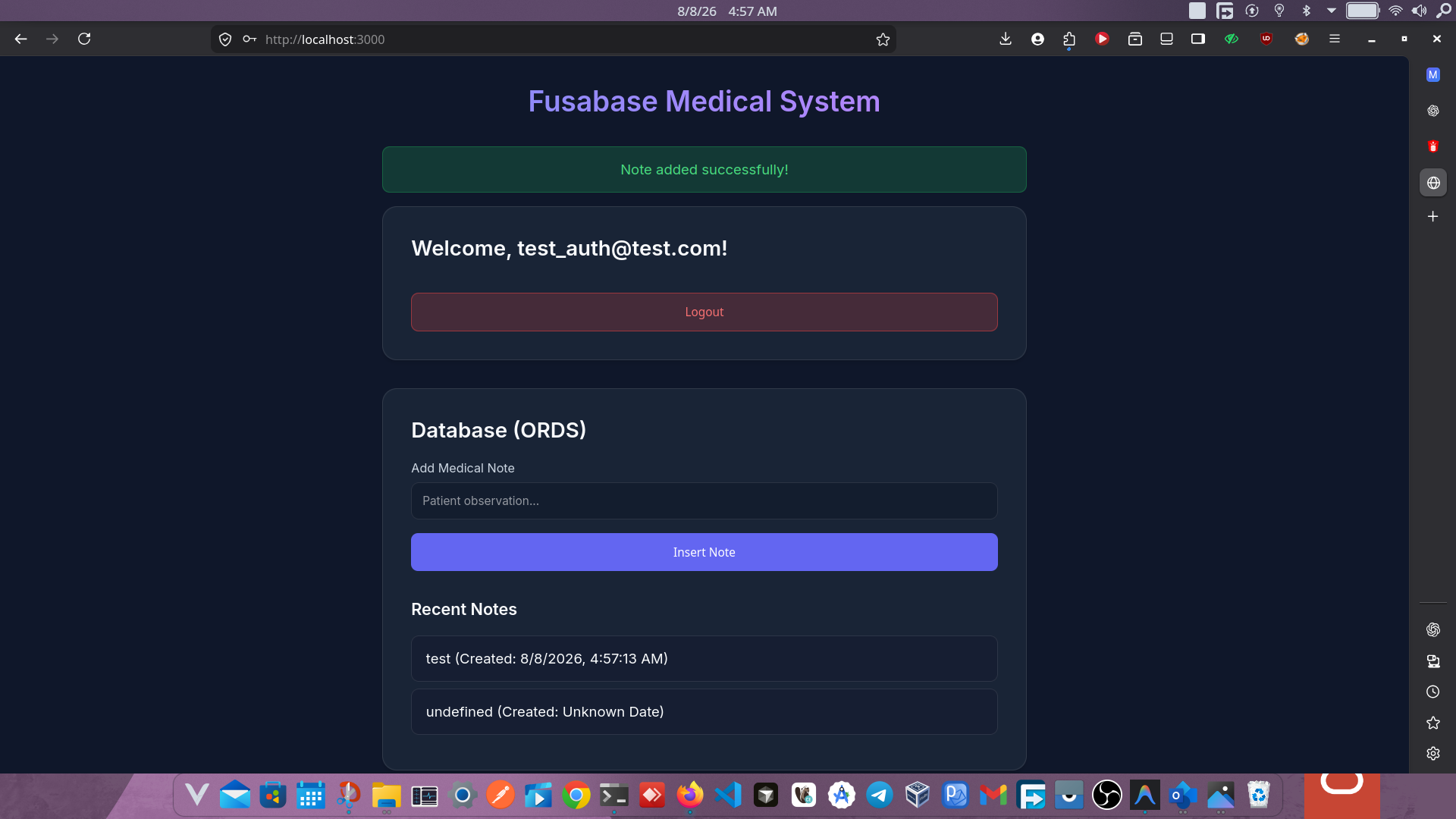
When a note is successfully inserted, the application displays a confirmation message and refreshes the list:
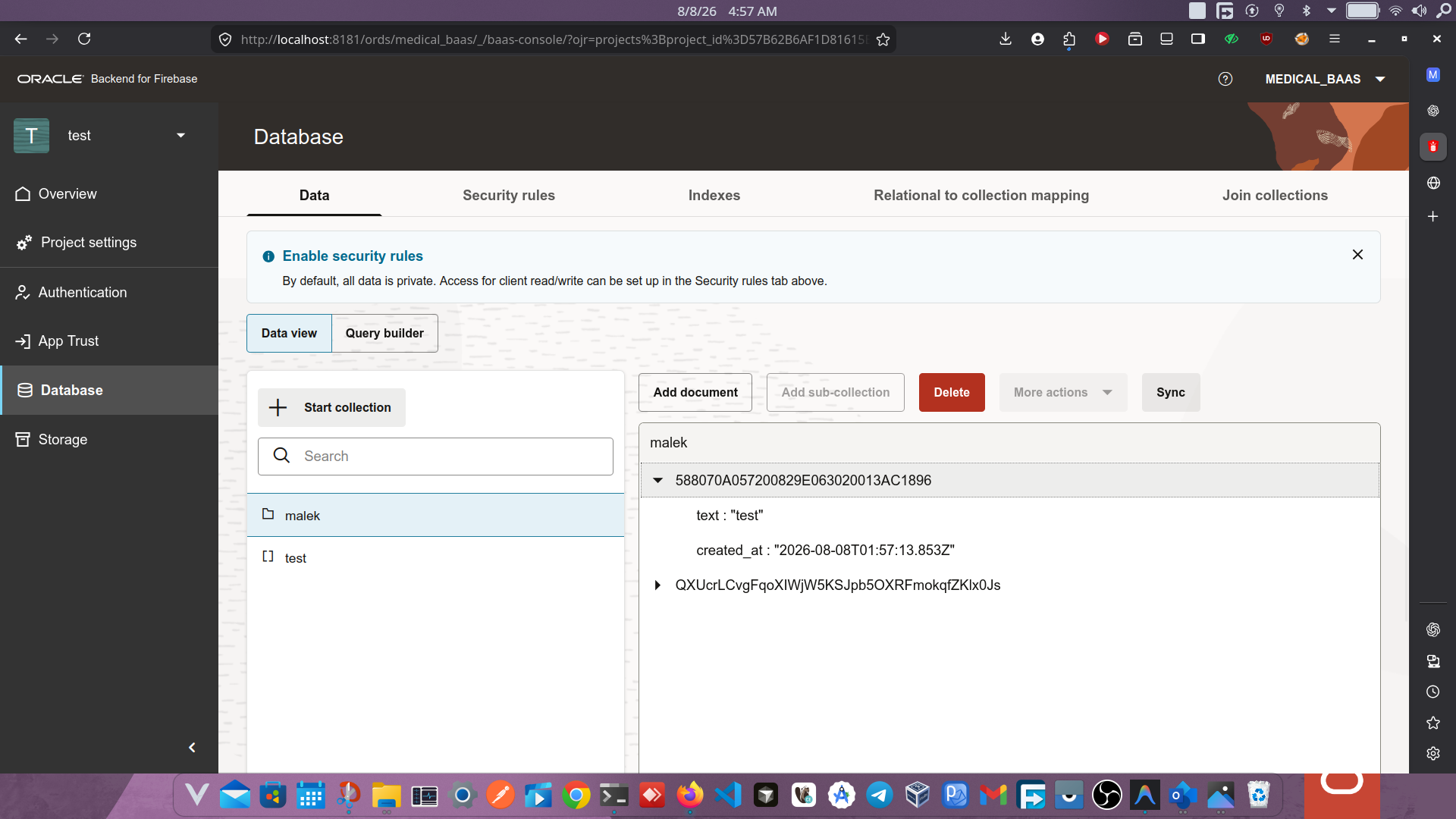
The inserted documents are immediately visible in the Fusabase Console's Database panel, where collections and individual document fields can be inspected:
Uploading files to Oracle DBFS is handled through the Fusabase Storage SDK. The application creates a storage reference, uploads the file bytes, and retrieves a download URL.
storage.js
import { ref, uploadBytes, getDownloadURL } from "fusabase/storage";

/**
 * Uploads a file to the configured Storage bucket (DBFS) and returns its URL.
 */
export const uploadDocument = async (storageInstance, file) => {
  const storageRef = ref(storageInstance, `documents/${Date.now()}_${file.name}`);
  await uploadBytes(storageRef, file);
  const url = await getDownloadURL(storageRef);
  return url;
};
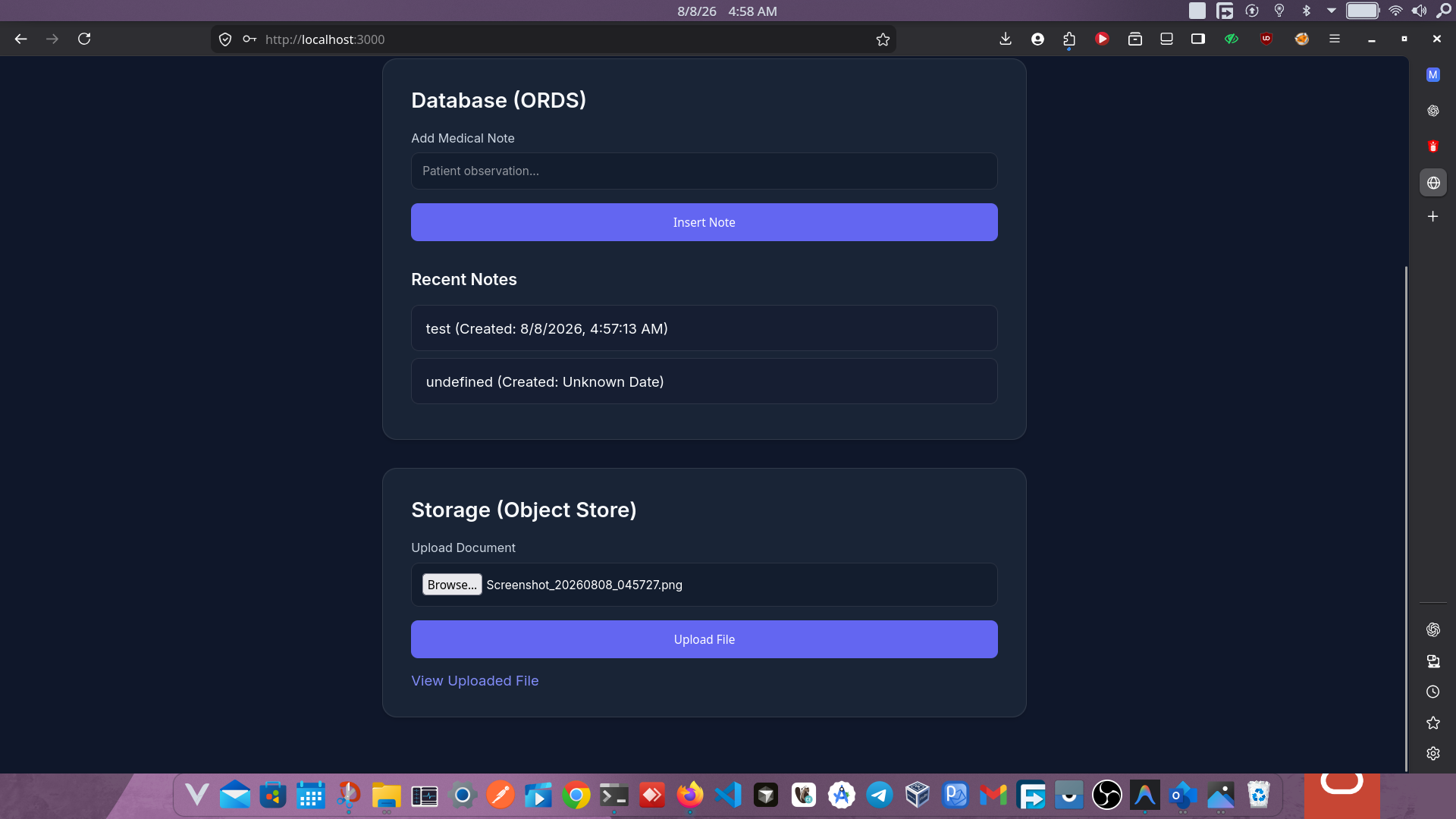
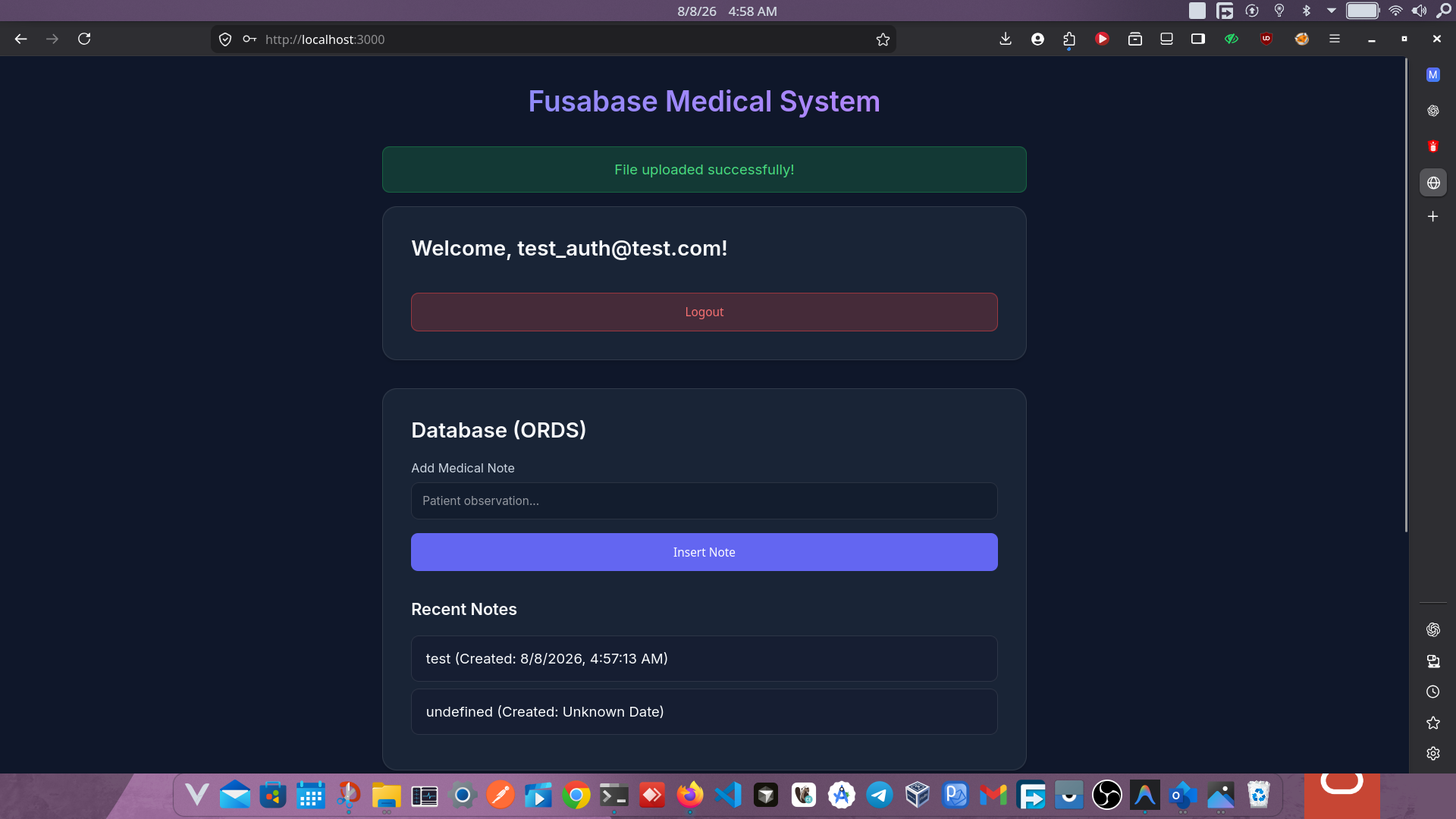
The storage section appears below the database panel in the application. After a file is selected and uploaded, the success message is displayed along with a link to view the uploaded file:
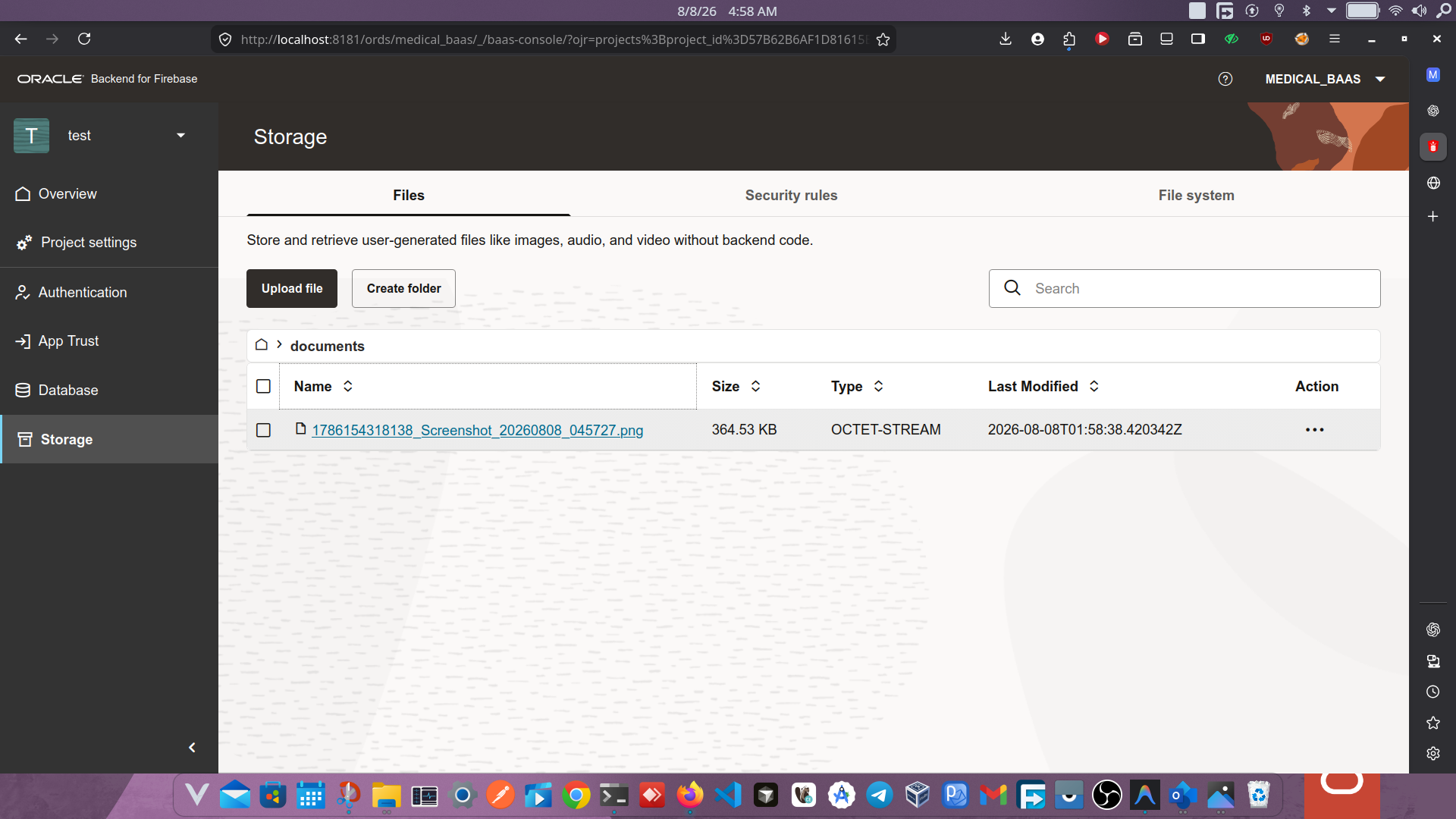
Uploaded files appear in the Fusabase Console's Storage panel, which provides a file browser with details such as file name, size, type, and last modified timestamp:
When making database queries against a new collection, the following error is common:
ORA-20015: Security rule not found, access denied
By default, Fusabase locks down all collections. The default rule denies all access:
Default (Access Denied):
match /{document=**} {
  allow read, write: if false;
}During local development, it is possible to allow all access for testing purposes:
match /{document=**} {
  allow read, write: if true;
}Open access rules must never be deployed to production. They are intended solely for local testing and prototyping.
For any real-world deployment, restrict access to authenticated users. A standard practice ensures that only users with a valid session can read and write data:
match /{document=**} {
  allow read, write: if request.auth != null;
}
For finer-grained control, restrict operations to resource ownership before going to production.
The main entry point ties all modules together, managing UI state transitions, button event listeners, and the orchestration between authentication, database, and storage operations.
main.js
import { fusabase_app, fusabase_db, fusabase_storage, fusabase_auth } from "./config.js";
import { registerUser, loginUser, logoutUser } from "./auth.js";
import { addNoteToMalek, fetchMalekNotes, renderMalekNotes } from "./db.js";
import { uploadDocument } from "./storage.js";

// UI Elements
const msgDiv = document.getElementById('message');
const authSection = document.getElementById('auth-section');
const appSection = document.getElementById('app-section');
const notesList = document.getElementById('notes-list');

// Helper to show messages
const showMessage = (msg, isError = false) => {
  msgDiv.textContent = msg;
  msgDiv.className = isError ? 'error' : 'success';
  setTimeout(() => msgDiv.className = 'hidden', 5000);
};

// Update UI based on auth state
const updateUI = (user) => {
  if (user) {
    authSection.classList.add('hidden');
    appSection.classList.remove('hidden');
    loadNotes();
  } else {
    authSection.classList.remove('hidden');
    appSection.classList.add('hidden');
    notesList.innerHTML = '';
  }
};

// Load Notes
const loadNotes = async () => {
  try {
    notesList.innerHTML = '<li>Loading...</li>';
    const notes = await fetchMalekNotes(fusabase_db);
    renderMalekNotes(notes, 'notes-list');
  } catch (error) {
    showMessage('Failed to load notes', true);
  }
};

// Auth Listeners
document.getElementById('btn-login').addEventListener('click', async () => {
  const email = document.getElementById('email').value;
  const password = document.getElementById('password').value;
  try {
    const user = await loginUser(fusabase_auth, email, password);
    showMessage('Login successful!');
    updateUI(user);
  } catch (error) {
    showMessage(error.message, true);
  }
});

document.getElementById('btn-register').addEventListener('click', async () => {
  const email = document.getElementById('email').value;
  const password = document.getElementById('password').value;
  try {
    const user = await registerUser(fusabase_auth, email, password);
    showMessage('Registration successful!');
    updateUI(user);
  } catch (error) {
    showMessage(error.message, true);
  }
});

document.getElementById('btn-logout').addEventListener('click', async () => {
  await logoutUser(fusabase_auth);
  updateUI(null);
});

// Database Listener
document.getElementById('btn-add-note').addEventListener('click', async () => {
  const noteInput = document.getElementById('note-text');
  if (!noteInput.value) return;
  try {
    await addNoteToMalek(fusabase_db, noteInput.value);
    noteInput.value = '';
    loadNotes();
  } catch (error) {
    showMessage('Failed to add note', true);
  }
});

// Storage Listener
document.getElementById('btn-upload').addEventListener('click', async () => {
  const fileInput = document.getElementById('file-upload');
  const file = fileInput.files[0];
  if (!file) return;
  try {
    const url = await uploadDocument(fusabase_storage, file);
    showMessage('File uploaded successfully!');
    const fileUrlA = document.getElementById('file-url');
    fileUrlA.href = url;
    fileUrlA.textContent = 'View Uploaded File';
    fileUrlA.classList.remove('hidden');
  } catch (error) {
    showMessage('Upload failed', true);
  }
});
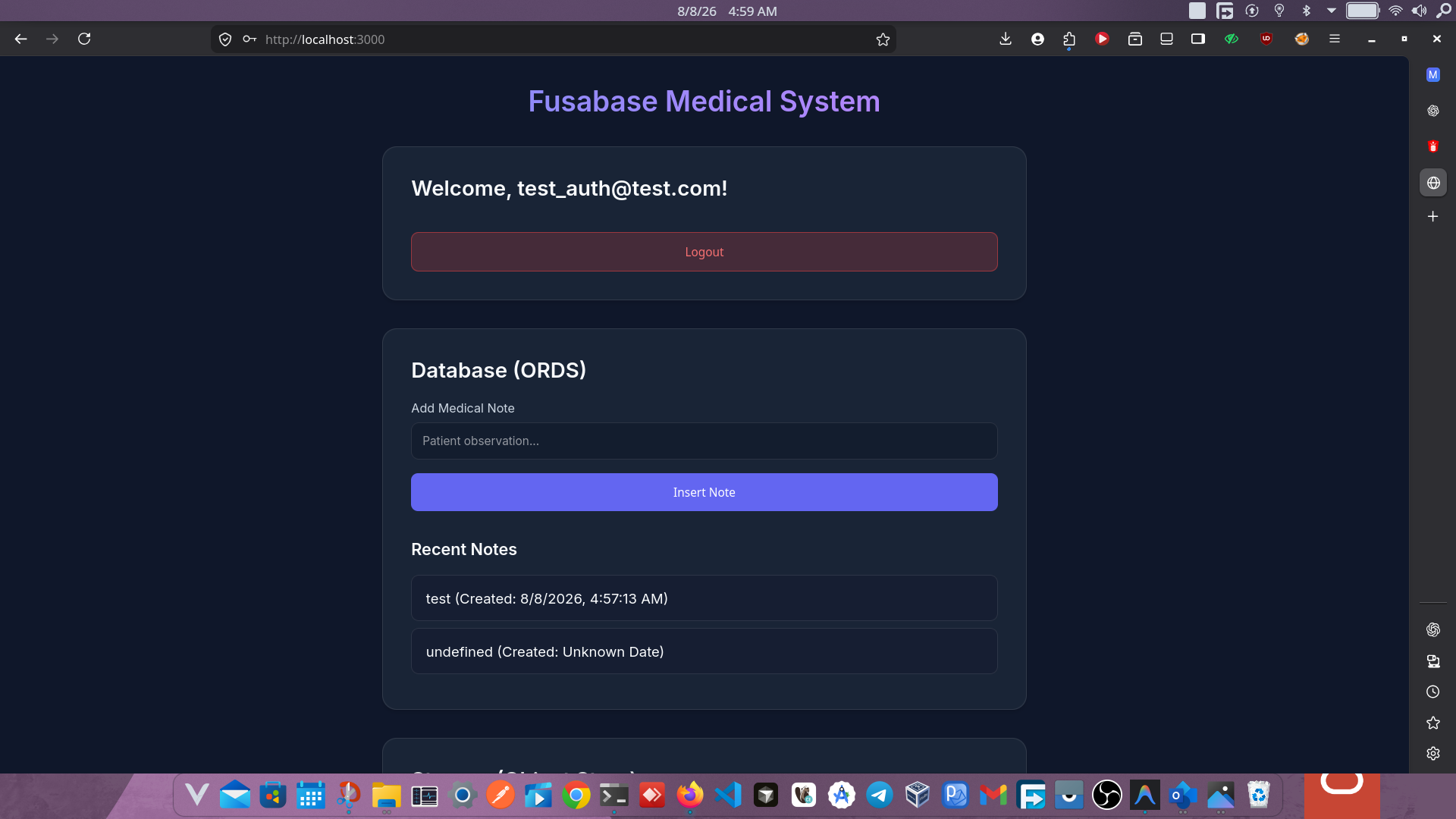
The authenticated dashboard brings all three pillars together in a single interface — authentication status, database notes, and file storage:
Oracle Fusabase provides a familiar developer experience for anyone who has worked with Firebase. The same clean, asynchronous JavaScript SDK patterns apply, while data is securely persisted in an Oracle Database with DBFS handling file storage.
By separating the application into auth.js, db.js, storage.js, and config.js — and extracting credentials into environment variables — this project establishes a scalable and secure foundation that can be extended into a production-grade enterprise application.